Hacxx Mobile Hotspot
H
A hacxx release site...
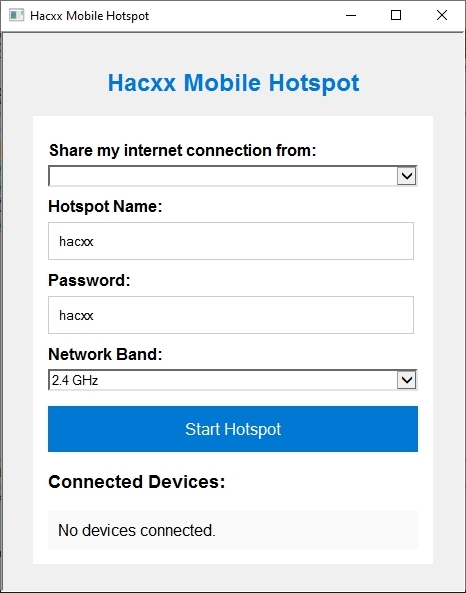
1 - Open hotspot.hta (Leave the other .ps1 files in the same folder) 2 - Select an existing wifi connection (If none selected it will be selected automatically) 3 - Enter a Hotspot Name 4 - Enter Password 5 - Select Network Band 6 - Start Hotspot 7 - When a new device connects, it will appear at Connected Devices
Download: https://filecrypt.cc/Container/A7BA0DB106.html https://nitroflare.com/view/027FB7F82EF1BF9/Hacxx_Mobile_Hotspot.rar